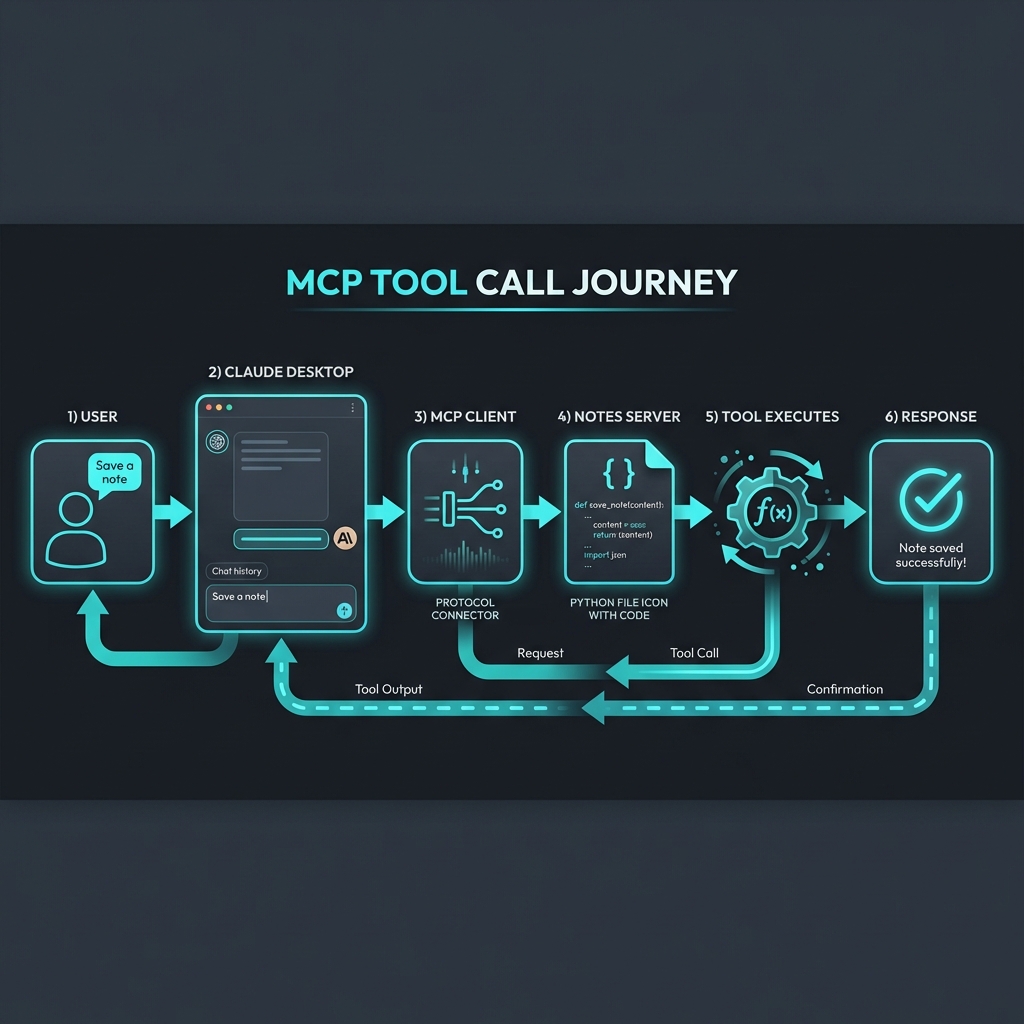
In the [last post](/mcp-build), we built a Notes Server in 20 minutes. It was a great exercise, but it was just one server talking to one host.
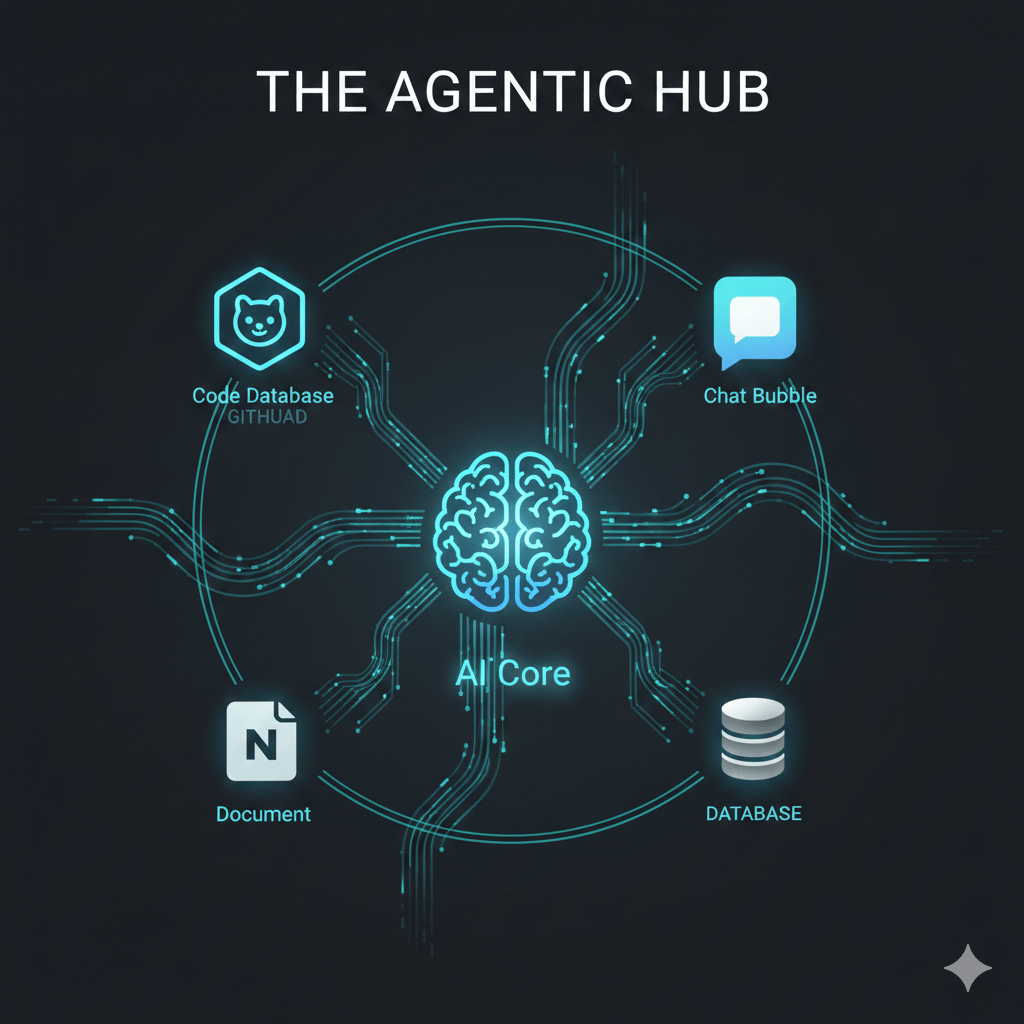
Now, imagine that same concept scaled across your entire workflow. Imagine your AI assistant having the “hands and eyes” to interact with your local files, your company’s internal databases, and your favorite SaaS tools—all at the same time, through a single, unified protocol.
This is where the Model Context Protocol (MCP) shifts from a cool developer tool to a fundamental shift in how we work. We aren’t just building connectors anymore; we’re building an Agentic Ecosystem.
The Explosion of the MCP Registry
When Anthropic released MCP, they didn’t just drop a spec; they dropped a catalyst. Within months, the community responded with an explosion of servers.
If you head over to the [MCP Registry](https://registry.modelcontextprotocol.io/), you’ll see servers for almost everything:
- Search: Brave Search, Exa Search, Perplexity.
- Development: GitHub, GitLab, Bitbucket, Kubernetes, Docker.
- Knowledge: Notion, Confluence, Slack, Google Drive.
- Data: PostgreSQL, MySQL, SQLite, Snowflake.
This isn’t just a list of plugins. It’s a library of capabilities that any MCP-compliant AI (Claude, Cursor, Zed, etc.) can “plug into” instantly. The N×M integration problem we discussed in Blog 1 is being solved in real-time by a global community of builders.
But how do you actually use these in a real workflow? Let’s look at the patterns emerging in the wild.
Pattern 1: The Local Power-User
This is the most common entry point. A developer or researcher running Claude Desktop on their machine, connected to a few local MCP servers.
The Stack:
1. Filesystem Server: Gives the AI read/write access to a local project folder.
2. Brave Search Server: Allows the AI to look up documentation or current events.
3. SQLite Server: Lets the AI query a local database of research notes or logs.
The Use Case:
You ask Claude: “Analyze the logs in `/logs/today.txt`, find the error codes, and cross-reference them with the schema in my `errors.db` database. Then, search the web to see if there’s a known fix for these specific codes.”
In one prompt, the AI uses three different servers to perform a multi-step research task that would have previously required you to copy-paste data between four different windows.
Pattern 2: The Service Hub (SaaS Integration)
For teams, MCP becomes the “glue” between fragmented SaaS tools. Instead of building a custom “Slack-to-Notion” bot, you simply run MCP servers for both.
The Stack:
1. Slack Server: To read and post messages.
2. GitHub Server: To manage issues and PRs.
3. Notion Server: To update documentation.
The Use Case:
“Check the latest messages in the #deploy-alerts channel. If there’s a bug report, find the relevant code in GitHub, create an issue, and add a summary to our ‘Known Bugs’ page in Notion.”
The AI acts as an autonomous coordinator, bridging the silos that usually slow teams down.
Pattern 3: The Data Bridge (The Enterprise Play)
This is where the “Integration Tax” really starts to drop for companies. Most enterprises have proprietary data locked behind internal APIs or legacy databases. Traditionally, making this data available to an AI meant building a complex, custom-coded “AI Gateway.”
With MCP, you build one internal MCP server.
The Pattern:
- You create an MCP server that wraps your internal “Customer 360” API.
- You deploy this server internally.
- Your employees connect their MCP-compliant tools (like Claude) to this internal endpoint.
Suddenly, your internal data is “AI-ready” without you having to build a single custom frontend or chat interface. The AI assistant already knows how to talk to it because it speaks the standard protocol.
Pattern 4: Server Stacking (The Orchestration Layer)
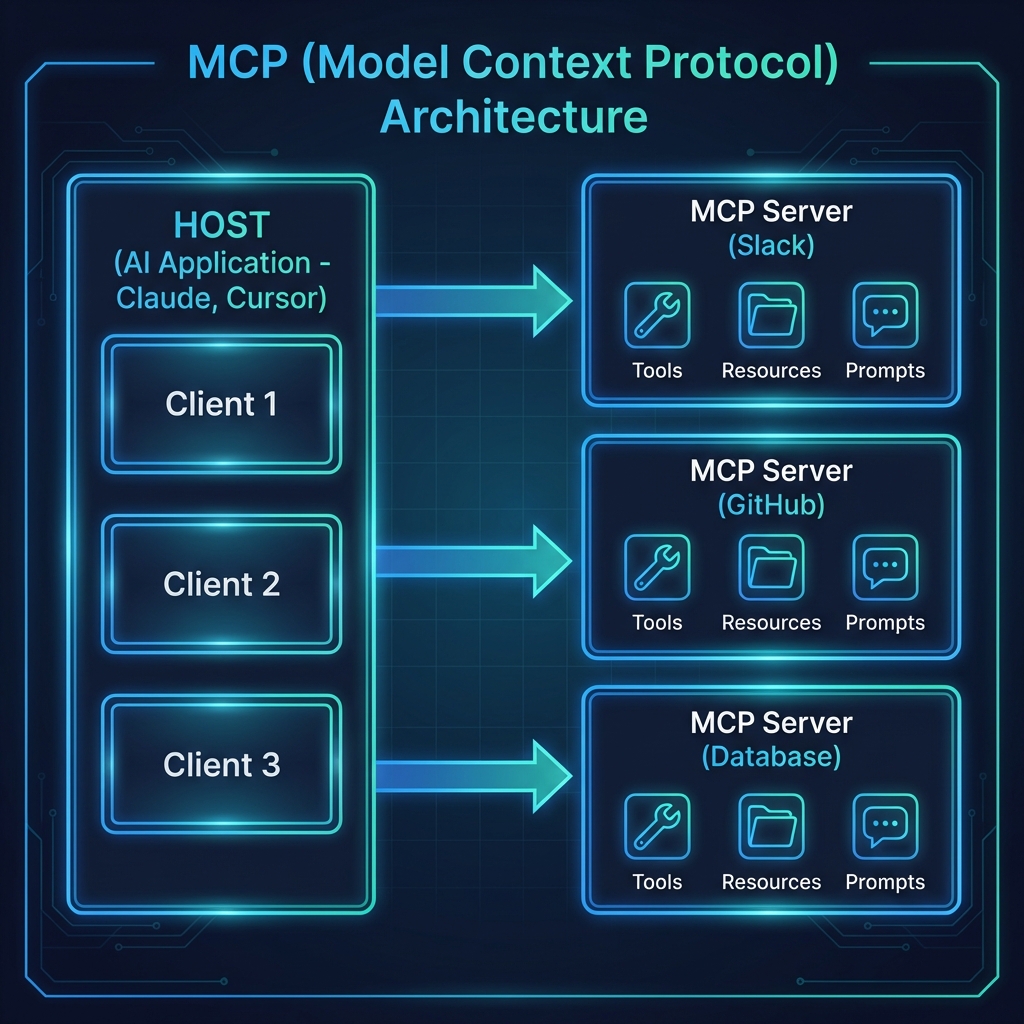
One of the most powerful features of MCP is that a single Host can connect to multiple Servers simultaneously. This is called Server Stacking.
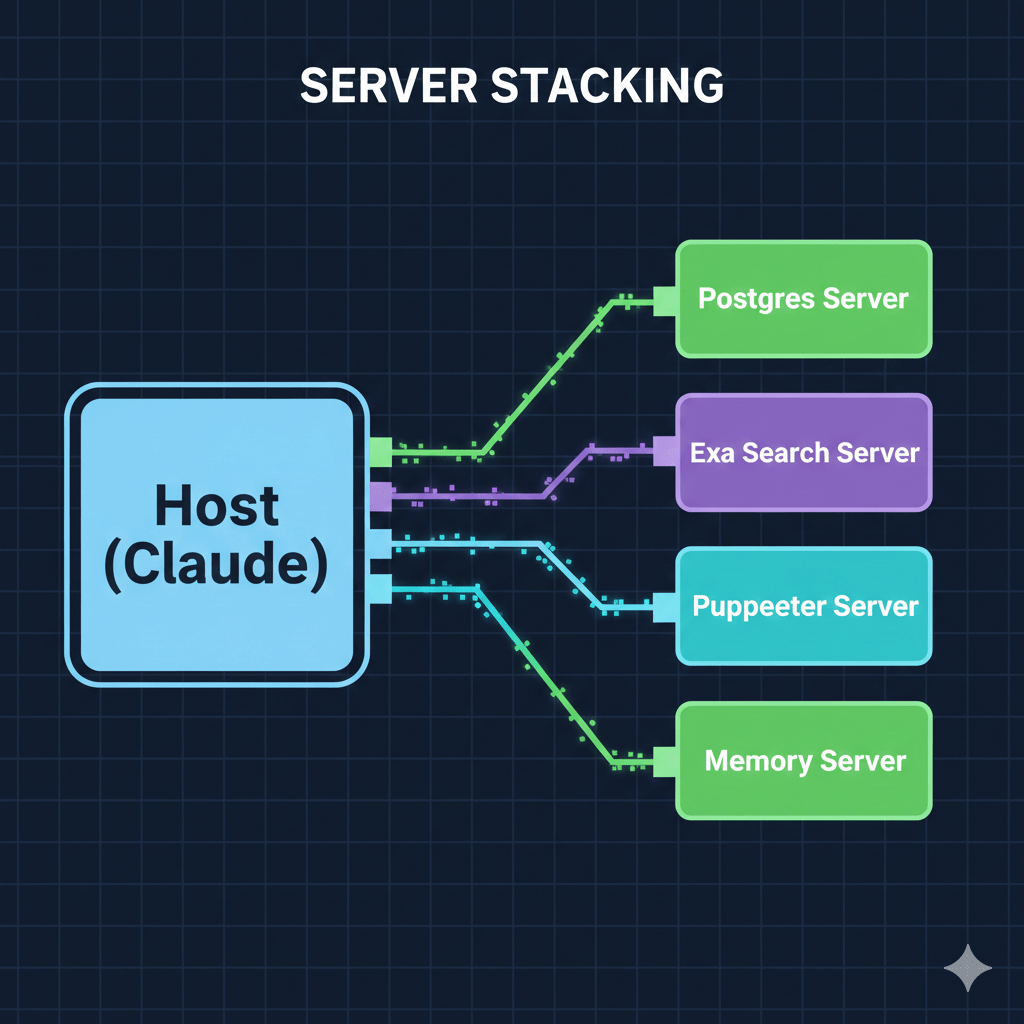
Image: [MCP Server Stacking Diagram]
When you ask a complex question, the Host (Claude) doesn’t just pick one server. It looks at the capabilities of all connected servers and orchestrates a plan. It might use the Postgres Server to get raw data, then use the Puppeteer Server to take a screenshot of a dashboard, and finally use the Memory Server to store its findings for your next session.
This orchestration happens automatically. You don’t tell the AI which server to use; you tell it what you want to achieve, and it picks the right tools for the job.
Why the “Integration Tax” is Dead
We used to spend 80% of our time on the “plumbing”—handling auth, mapping fields, managing API versions—and only 20% on the actual logic.
MCP flips that. Because the interface is standardized, the plumbing is a solved problem. When you connect a GitHub MCP server, you aren’t “integrating GitHub”; you are simply giving your AI the “GitHub skill.”
We are moving toward a world where software doesn’t just have a UI for humans and an API for developers—it has an MCP Server for Agents.
What’s Next
We’ve seen the “Why,” the “How,” and the “Where.” But there’s one elephant in the room we haven’t addressed: Security.
If an AI can read your files, query your database, and post to your Slack, how do you make sure it only does what it’s supposed to do? How do you manage permissions in an agentic world?
In the final post of this series, Blog 5, we’ll dive into Security, OAuth, and the Agentic Future. We’ll talk about human-in-the-loop patterns, permission scopes, and how to build “Safe-by-Design” AI systems.
This is the fourth post in a series on MCP. Here’s what’s coming:
1. ✅ This Post: Why MCP matters
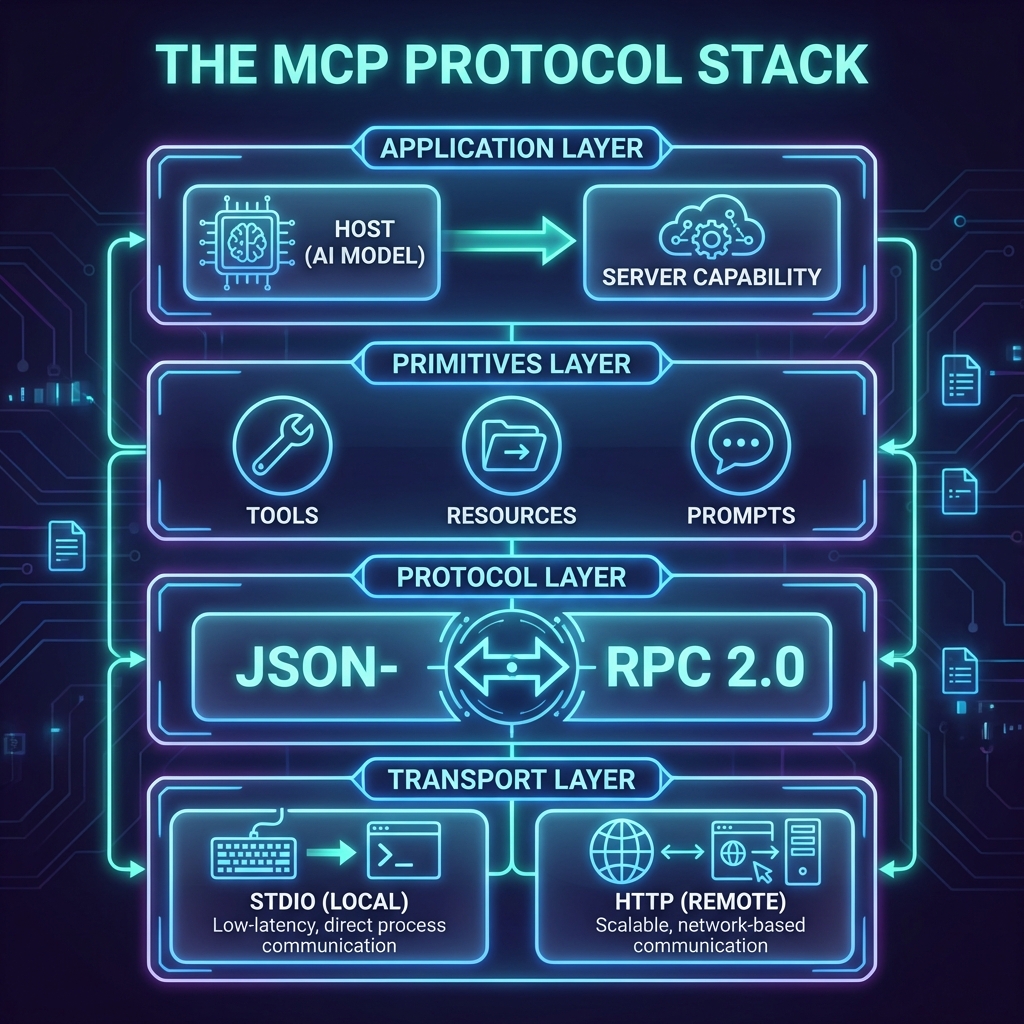
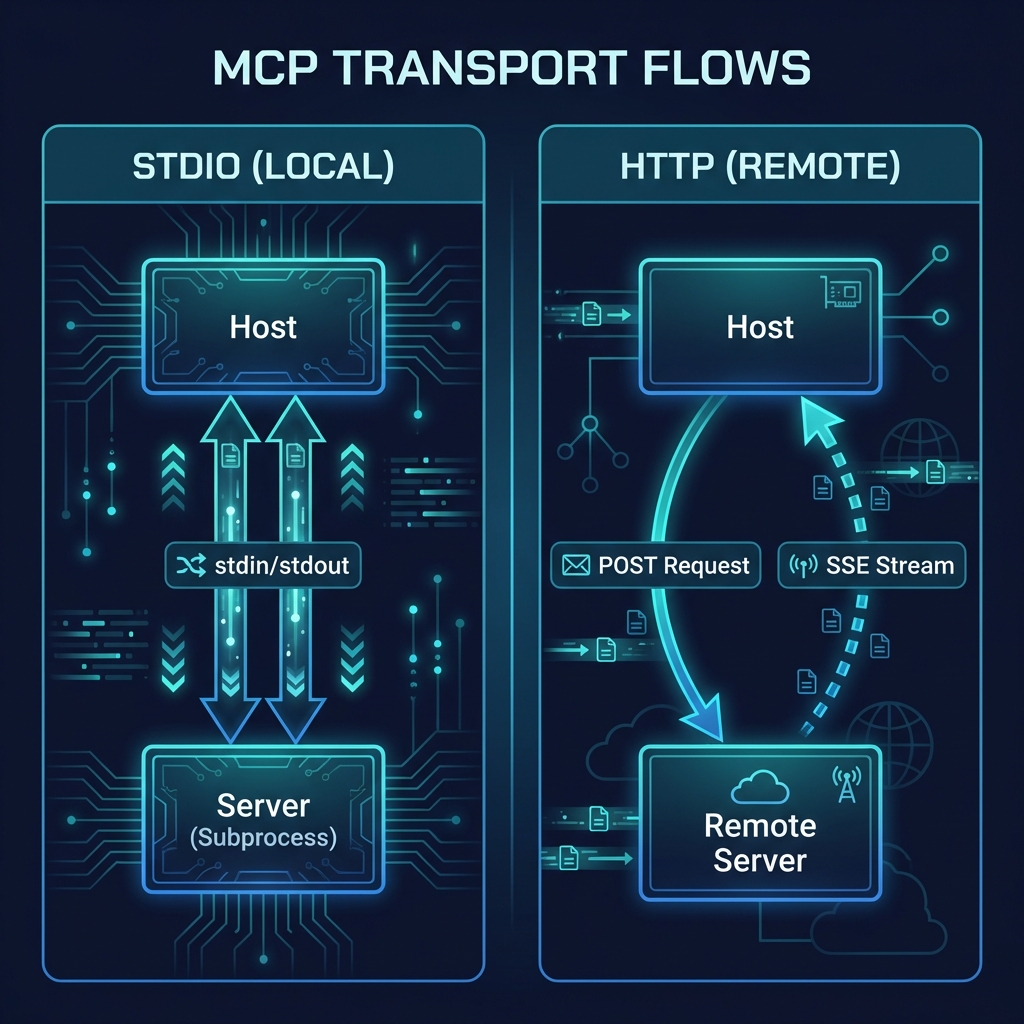
2. ✅ Blog 2: Under the Hood—deep dive into architecture, transports, and the protocol spec
3. ✅ Blog 3: Build Your First MCP Server in 20 minutes (Python/TypeScript)
4. ✅ Blog 4: MCP in the Wild—real-world patterns and use cases
5. Blog 5: Security, OAuth, and the agentic future
—
Explore the ecosystem: Browse the [MCP Registry](https://registry.modelcontextprotocol.io/) or contribute your own server to the [community list](https://github.com/modelcontextprotocol/servers).

 TheTechDialogue